What to take into your next post
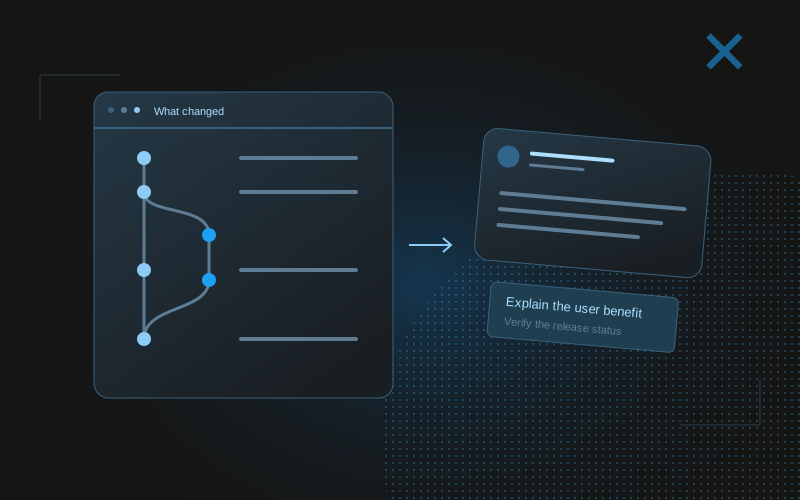
- Use commits to discover changes, then inspect what they actually did.
- Translate implementation details into a concrete reader benefit.
- Verify release status and filter private material before drafting.
Use Git history as a shortlist, not a finished narrative
A commit message is written for repository history. It may describe a refactor, a technical fix, or a batch of work whose user benefit is not obvious. Treat recent history as a shortlist of candidate stories. Inspect the relevant diff and the surrounding product context before deciding what deserves a public update.
Start with a coherent period and one repository or product area. Review merged pull requests, change notes, and verification summaries alongside commits. A feature may span several commits, while one commit may contain multiple unrelated changes. Group the work by user problem rather than publishing a chronological dump.
Look for decisions a reader can understand: a confusing state clarified, a repeated task reduced, a compatibility issue handled, or a tradeoff made explicit. You are selecting public learning material. A long list of changed files does not become useful simply because an assistant can summarize it quickly.
Translate the change into an observable consequence
For every candidate, write a sentence describing what someone can now see or do differently. “Refactored the report component” describes implementation. “The same comparison now appears consistently in the overview and detail view” describes an observable consequence, if that behavior was actually verified.
Sometimes a refactor has no immediate visible outcome. You can still write a technical explanation about why the structure changed and what it makes easier to maintain. Keep that claim at the right level. Do not invent a customer benefit or performance improvement because a public post seems to need one.
For a bug fix, include the trigger and corrected behavior. “Fixed authentication” is too broad. “Opening an expired session now returns you to sign-in with the intended destination preserved” is clearer if it matches the code and checks. The specific example makes the change understandable without exposing private implementation details.
Build a public evidence packet
A useful packet contains the problem, the final change, the reason for the decision, verification, release status, and an artifact. Separate direct observations from assumptions. If a check ran locally, say so. If a feature is behind early access, keep that access boundary visible. If deployment is pending, do not write as though customers already have it.
Commit history often contains information that should not enter the public packet: internal issue links, customer identifiers, security details, secrets accidentally included in logs, or private roadmap notes. Filter the material before handing it to the drafting assistant. This is also an opportunity to remove irrelevant code detail that would distract from the story.
Keep the evidence packet concise but sufficient. The assistant needs to know that the interaction was tested on the relevant path; it rarely needs the entire terminal transcript. Retain the underlying artifacts privately so you can revisit a claim if someone asks for clarification.
- Problem and affected user state.
- Final behavior or structural decision.
- Reason for the choice and relevant tradeoff.
- Checks completed and checks still pending.
- Actual release or access status.
- Public-safe screenshot, recording, or example.
Use a worked example from commit to post
Consider a hypothetical commit called “fix: preserve report filters.” The diff changes how selected dates are passed into a detail view. The associated issue says readers lost their selected period when opening a report. The verification note confirms navigation behavior locally, and deployment is still pending.
A weak public draft says, “Shipped a massive analytics upgrade that makes reports effortless.” It exaggerates scope, asserts a release, and invents the user experience. A supported draft says, “Opening a report used to lose the date range you selected. The fix now carries that period into the detail view. Local checks passed; deployment is next.” The second version is modest because the evidence is modest, not because the assistant lacked a better hook.
When deployment is verified, you can update the status sentence and add a link if readers can try the feature. When you later measure fewer support questions or successful usage, that becomes new evidence for a different post. Do not pull future outcomes backward into the original announcement.
| Repository evidence | Public interpretation | Unsupported leap |
|---|---|---|
| Date range carried to detail view | Selected period remains consistent | All reporting is now effortless |
| Local navigation check passed | The corrected path was checked locally | Production behavior is verified |
| Deployment pending | Release is the next step | Available to everyone today |
Ask the agent to identify the story and its limits
An assistant can extract candidate changes and help translate them for different readers. Give it the filtered packet and ask it to name the supported claim first. Then request a few distinct angles: a user-facing explanation, a technical decision, or a short learning note. This order reduces the chance that an attractive opening drives an unsupported story.
Require missing information to be marked. If the packet lacks release status, the assistant should ask for it or draft without claiming a release. If it lacks a screenshot, it should suggest an artifact to capture rather than inventing its appearance. These gaps tell you what to gather before publication.
You can automate collection into a private draft queue without automating public posting. A recurring repository summary is a review artifact. It should not imply that every merged change deserves a post, and it should preserve the ability to reject an update that exposes too much or offers too little.
A prompt to adapt
From this public-safe change packet, identify the strongest supported claim and any missing release or verification evidence. Propose three distinct build-in-public angles for the named audience. Draft one concise update for each. Do not treat a commit, merge, or passing build as proof of production availability. Do not publish. Suggest an artifact that would make the change easier to understand.Choose the visual that explains the change
A before-and-after interaction is often more useful than a screenshot of the code diff. If the change concerns navigation, a short recording can show the old friction and the corrected path. If it concerns a visual hierarchy, two annotated screens can make the choice legible. If it concerns architecture, a small diagram may be the right artifact.
Use real captures when making claims about product behavior. A concept mockup can illustrate a proposed direction, but label it as a concept. Avoid using a polished visual to blur the difference between a prototype and a released feature. The caption and artifact should agree on the status.
Check that the visual remains understandable at the size readers will see in a feed. Tiny code, unrelated UI chrome, or missing context can make a technically accurate artifact useless. Crop to the relevant area while preserving enough surrounding information to explain the workflow. Remove private data before export.
Close the loop from public response back to product work
After publication, record questions and misunderstandings alongside the original change packet. A reader may reveal that your explanation assumed knowledge they do not have. Another may point out an edge case worth checking. These responses are useful product signals, but a public reaction is not automatically a customer requirement.
Group the resulting posts by topic and intent for later review. Technical decisions may interest peers, while user-facing demos may bring a different audience. Compare them in relation to the goal you named before drafting. Do not let a high-reach implementation joke set the standard for a product explanation with a different purpose.
X-tra can help you inspect the posting side of this loop through retained analytics. The source of the story remains your verified work. Better organization and agent assistance should make it easier to explain that work clearly, not create an obligation to manufacture a public announcement for every commit.
Common questions
Can I generate X posts directly from commit messages?
You can generate candidate drafts, but inspect the diff, user problem, verification, and release status before publishing. A commit message alone is incomplete evidence.
Should I post every merged pull request?
No. Select changes that teach something or show a meaningful outcome for your intended audience. Many useful maintenance changes do not need a public announcement.
Can I call a merged feature shipped?
A merge establishes repository state. Verify the intended release environment and access before claiming that readers or customers can use it.